As a small team, we’ve noticed in our past sales operations that applying the logistics tracking function to daily order follow-ups brings two key benefits: it allows you to check your order progress anytime without repeatedly contacting the responsible person, and it also helps us avoid missed order arrangements effectively.
Regarding the function details, we’d like to clarify:
Currently, only our dedicated order management colleagues will update order progress in the backend.
Order records will be deleted within 30 days after order completion. We strictly adhere to confidentiality agreements, so you don’t need to worry about information privacy.
It’s important to note that this function is not mandatory—you can still inquire about your order status by contacting the responsible person. If you wish to use this function, please send an email to the info mailbox to apply for an account. Due to the custom-made nature of all our current orders, self-registration is temporarily unavailable. We appreciate your understanding.
Operating steps:
1.Then, after obtaining an account for this function (when you need it), you can click the "Track Order" button on the page.
Once you click in, you will need two pieces of essential information: the "Order ID" and your "Registered Email Address".
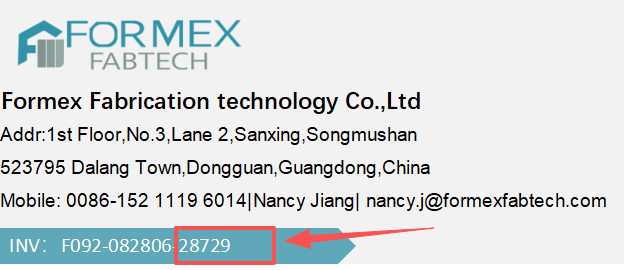
The Order ID is unique to each order you can find it in the invoice.
And the email address refers to the one you used for registration.
You will see the basic information of your order.
Of course, you will also receive email reminders every time your email address is updated.
This simple function introduction is complete. I hope it has been helpful to you all~